We use cookies to ensure that we give you the best experience on our website.
Stay Updated with KCVENTS Ventilation & HVAC Solutions
Subscribe to our newsletter for the latest airflow engineering insights, energy-efficient ERV/HRV system updates, and eco-friendly HVAC solutions.
Be the first to receive exclusive technical guides, custom OEM/ODM capabilities, and global exhibition news directly from KCVENTS.
Fan Uzaktan Kumandası, Uygulama ve Akıllı Priz Karşılaştırması: Hangisi İşe Yarar?
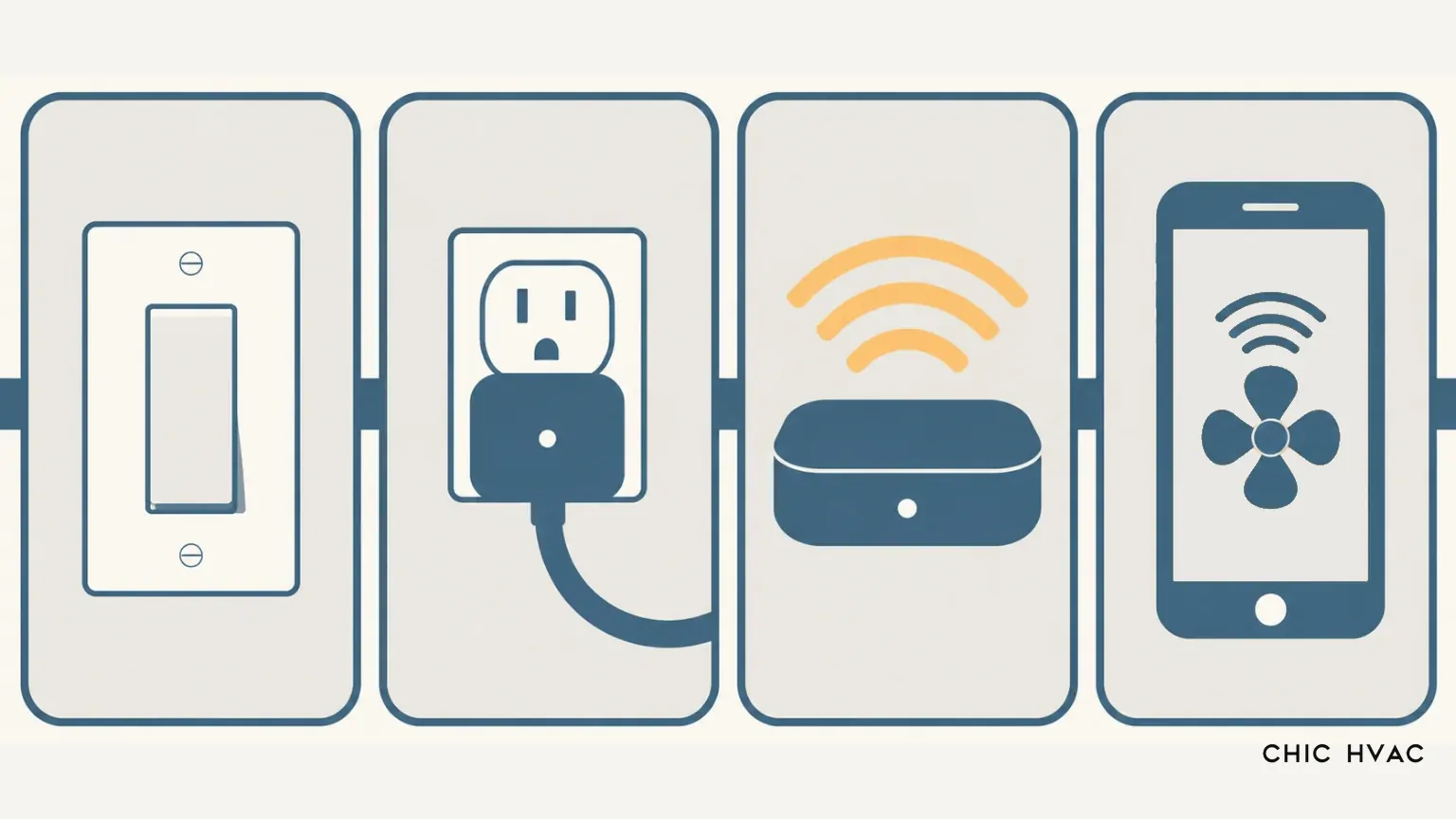
Havalandırma fanını kontrol etmenin dört yolu karşılaştırıldı: duvar anahtarı, akıllı priz, RF öğrenme özellikli hub (BroadLink) ve yerel uygulama, ayrıca atlamalı kod (rolling-code) engeli.
Basit tek hızlı AC üniteleri için, kablolu bir banyo fanı akıllı anahtarı genellikle en basit otomasyon yoludur; oysa çok hızlı üniteler ve gelişmiş havalandırma sistemleri, durum kayıplarını ve yanan röleleri önlemek için yerel sinyal kontrolüne veya doğrulanmış protokol uyumluluğuna ihtiyaç duyar.
Bir Fan Uzaktan Kumandası Neden Bir Uygulama ile Aynı Değildir?
El tipi bir fan uzaktan kumandası, iki yönlü bir ağ arayüzü değil, hava boşluklu (air-gapped) bir vericidir. Standart bir fabrika kurulumunda, el tipi verici, fan gövdesinin içine monte edilmiş bir alıcı modülüne kızılötesi (IR) veya radyo frekansı (RF) komutu gönderir. Tavan ve kanallı fan mimarisine ilişkin teknik belgelere göre, referans verilen Vikipedi, kaynağında da belirtildiği üzere, el tipi verici doğrudan fan tertibatının içinde bulunan ve motor sargılarını anahtarlayan veya hız kontrollerini modüle eden bir alıcıya RF veya IR komutu gönderir.
Bu fiziksel mimari, bir uzaktan kumanda ile bir uygulama arasında temel farklar yaratır:
Görüş Hattı ve Radyo Yayılımı: Kızılötesi uzaktan kumandalar, kumanda LED'i ile alıcı diyot arasında engelsiz bir doğrudan görüş hattı gerektirir. Radyo frekansı uzaktan kumandaları (genellikle 433 MHz veya 315 MHz'de çalışan) alçıpan ve tavanlardan geçebilir, ancak sinyalleri yanıtsız (onaysız) kalır.
Tek Yönlü İletişim (Geri Bildirim Yok): El tipi uzaktan kumandalar körleme komutlar yayınlar. Uzaktan kumandanın, fanın sinyali alıp almadığını, çarkın dönüp dönmediğini veya hangi hız profilinin aktif olduğunu belirleyecek bir telemetrisi yoktur. Entegre kontrol kartlarına bağlı mobil uygulamalar ise gerçek çalışma durumlarını raporlamak için Wi-Fi, Ethernet veya yerel seri veri yolları üzerinden çift yönlü iletişim kurar.
Simüle Edilmiş Basışlar ve Yerel Mantık: Uzaktan kumandalı bir inline duct fan ünitesini otomatikleştirmek için bir RF öğrenme ağ geçidi kullanmak, yalnızca fiziksel bir düğmeye basılmasını taklit eder. Bir sinyal alıcıya ulaşamazsa, otomasyon yazılımı fanın fiziksel durumuyla senkronizasyonunu kaybeder. Buna karşılık yerel uygulamalar, hedef değerleri (hız yüzdeleri veya zamanlayıcı hedefleri gibi) doğrudan mikrodenetleyici belleğine yazar.
Dört Kontrol Yolunun Karşılaştırması
Aşağıdaki tablo, kurulum, kabiliyet, güvenilirlik ve potansiyel arıza modları genelinde dört birincil kontrol mimarisini özetlemektedir.
Kontrol Yöntemi
Gereken Kablolama
Hız Ayarı
Orijinal Uzaktan Kumandaya Bağımlılık
Güç Kesintisi Sonrası Durum
Otomasyon Kabiliyeti
Uygun Fan Modelleri
Birincil Riskler
Duvar Anahtarı / Akıllı Anahtar
Yüksek (şebeke gerilimi buat kutusu; genellikle nötr hat gerektirir)
Genellikle yalnızca Açma/Kapama (belirtilmiş çok hızlı motor kontrolü yoksa)
Yüksek (akıllı ev merkezleri üzerinden programlar, nem tetikleyicileri)
Tek hızlı AC fanlar, temel banyo egzoz fanları
Endüktif yük değerinin aşılması; aydınlatma dimmer'ları ile kullanıldığında motor uğultusu
Akıllı Priz
Yok (120V/230V prize tak-çalıştır)
Hayır (yalnızca şebeke elektriği Açma/Kapama)
No
Priz rölesinin kayıtlı güç açma durumuna geri döner
Yüksek (uygulama zamanlayıcıları, akıllı ev platformları)
Fişli AC kanal fanları, yardımcı blower'lar
Ani demeraj akımından dolayı röle kontaklarının yapışması (kaynaması); elektronik EC kartlarına güç döngüsü uygulanması
RF/IR Öğrenme Ağ Geçidi (örn. BroadLink)
Yok (menzil içine yerleştirilen USB ile çalışan köprü)
Evet (orijinal kumandada ayrı hız tuşları varsa)
Evet (çalışan kumandadan öğrenmelidir)
Şebeke kesilirse fanı enerjisiz bırakır; şebeke aktif kaldığında durumunu korur
Orta (makro komutlar, zaman programları, sanal kumandalar)
Sabit kodlu RF kumandalı çok hızlı AC fanlar
Dönen kodlar (rolling codes) eşleşmeyi engeller; durum geri bildirimi yoktur; senkronizasyon kaybı yaşanır
Yerel Uygulama ve Sensör Kontrolörü
Düşük ila Orta (düşük voltajlı sensör kabloları veya tak-çalıştır hub)
Evet (kademesiz 0–100%, 0–10V veya çok kademeli PWM)
No
Uçucu olmayan kart belleğinde saklanan ayar değerine geri döner
Kapsamlı (gerçek zamanlı IAQ, CO2, RH tetikleyicileri, otomatik eğriler)
EC motorlu inline kanal tipi fanlar, akıllı merkezi olmayan HRV'ler
App ecosystem lock-in; dependency on local network/cloud servers
The Hidden Catch: Fixed Code vs. Rolling Code
The most common stumbling block when automating an inline duct fan with remote control using a universal gateway (such as a BroadLink RM4 Pro) is radio frequency coding. Universal RF gateways operate by capturing an incoming radio transmission, recording the waveform, and retransmitting that exact frame on demand.
“The supported bands are 433 MHz (433.05–434.79 MHz) and 315 MHz (314.95–315.25 MHz).”
Home Assistant Documentation
Universal RF gateways rely entirely on fixed-code transmissions, where the digital payload sent on every button press is identical. However, modern fan manufacturers increasingly adopt rolling-code (or hopping-code) protocols to prevent cross-talk between neighboring units, as defined by technical references on rolling code security mechanisms. Under a rolling-code system, every keypress generates a cryptographic hash containing an incremented counter. The receiver decrypts the payload and advances its internal counter. If a gateway records a rolling-code frame and plays it back, the fan receiver rejects the packet as an expired or duplicate transmission.
A BroadLink support statement relayed by a user in the Hubitat Community emphasizes this constraint:
“Please note that our remote does not support RF remote controls that use a long-press action or a rolling code.”
BroadLink Support (relayed by Hubitat Community)
This limitation was confirmed in community field tests documented on the Home Assistant Francophone forum (HACF), where raw captures of a ceiling-fan remote’s frames were observed to differ on every button press, because a counter increments in each frame. With the payload constantly changing, universal RF learning hubs could not record a reproducible command.
Pre-Purchase Verification Steps:
Inspect the Remote Casing and Label: Look for frequency markers (315 MHz or 433.92 MHz) and DIP switches in the battery compartment. The presence of physical DIP switches often indicates an older fixed-code transmission.
Look Up the FCC ID: For units sold in North America, search the FCC ID database printed on the remote. The test reports reveal the exact modulation (e.g., ASK/OOK vs. FSK) and whether frequency hopping or variable payloads are used.
Borrow or Test Before Committing: If the documentation mentions digital pairing, rolling code, or dynamic encryption, universal learning bridges will not work. In those cases, choose hardwired smart switching or native app controls instead.
Does Learning the Remote Solve the Power-Cut Problem?
A frequent justification for using an RF learning hub instead of a smart plug is avoiding fan power-cut resets. When an exhaust fan is switched off by cutting upstream line voltage, electronic control boards often drop back to a factory default state—frequently “Off” or “Standby”—when mains electricity returns. An RF learning gateway bypasses this issue during daily operation because line power to the fan remains energized continuously while the gateway sends simulated wireless commands.
However, an RF gateway does not provide actual non-volatile memory for the fan. If a localized blackout or utility power cut occurs, the fan still reboots into its default circuit state. Furthermore, if an RF command is missed while the hub believes the fan is running, the system has no way of detecting the mismatch.
By comparison, electronically commutated (EC) ventilation units equipped with native microcontrollers or 0–10V/PWM interfaces manage power restoration at the firmware level. As stated in technical documentation by fan motor manufacturer ebm-papst:
“If control voltage is applied or a speed setpoint is stored, the motor automatically restarts, e.g. after a power failure.”
ebm-papst Motor Operating Manual
The same technical documentation specifies the expected response window after supply restoration: “the motor automatically restarts after 10 – 40 s” (ebm-papst, 2020). Whether a fan remembers its operating state after a power outage depends entirely on the design of the motor and control board. KCvents, for example, specifies its EC Motor Shutter Exhaust Fan’s 10-speed PWM controller as having a memory function, so the selected speed is retained across power cycles.
For DIY hardwired relay projects running open-source firmware, control behavior can also be set programmatically. As outlined in the Tasmota documentation, , PowerOnState command allows installers to define whether a smart relay powers up as Off, On, toggled, or restored to its last saved operational state.
Which Fan Types Suit Which Control Path
Matching your fan motor to the correct control architecture prevents electrical component failure, audible motor buzzing, and configuration loss:
Standard Single-Speed AC Fans: Suited to an in-wall exhaust fan smart switch or electronic countdown timer. These fans use simple shaded-pole or permanent split capacitor (PSC) motors. When automating these, ensure the switch is explicitly rated for inductive motor loads rather than purely resistive lighting.
Multi-Speed AC Fans with Factory RF Remote: Can be automated via an RF learning gateway (such as BroadLink RM4 Pro), provided you have confirmed the remote uses a 433 MHz fixed code. If the remote uses rolling codes, an RF gateway cannot be used; automation must occur via hardwired multi-speed wall switches.
Electronically Commutated (EC) Duct Fans: Suited to dedicated low-voltage signals (0–10V, PWM, or a supplied wired controller), such as the controller shipped with the KCvents EC Inline Fan With Stepless Speed. Its published 4-inch model (KC100-M) moves 205 CFM at 28 dB — figures worth noting because intermittent strategies raise the speed, and therefore the noise, during each burst. Avoid cutting mains power upstream with a smart plug, as sudden line breaks deprive the onboard inverter of smooth spin-down control.
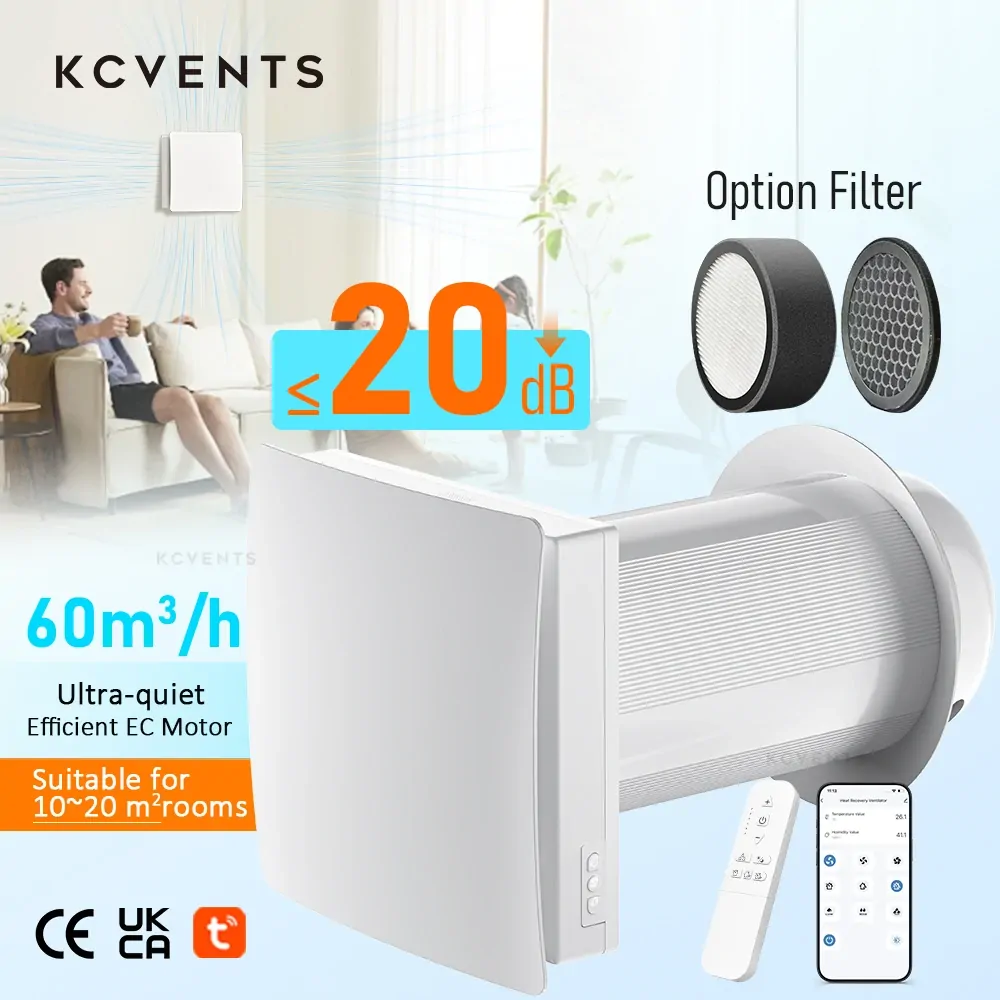
Integrated Sensor Ventilation Units: Suited to onboard intelligence or factory mobile applications. Systems like the Smart EC Mixed-Flow Inline Fan integrate native temperature and humidity sensors, while decentralized heat recovery ventilators like the KCvents VT501-Wifi use Tuya app control with CO2 monitoring and automation support to schedule ventilation.
Common Mistakes
Avoiding these five frequent integration errors will save installation time and protect fan hardware:
Purchasing an RF Gateway Without Verifying the Remote Code: Assuming every 433 MHz remote can be cloned leads to frustrating project roadblocks. If the remote utilizes rolling-code encryption or requires long-press commands, standard RF learning gateways will not pair.
Power-Cycling EC Fans with Smart Plugs: Repeatedly cutting high-voltage AC mains to an EC fan stresses the internal power supply circuits. EC motors are engineered to stay connected to live power while speed is adjusted via low-voltage control inputs.
Overloading Smart Plug Relay Contacts: Smart plugs carry strict motor horsepower ratings that are far lower than their resistive heating or lighting limits. According to safety specifications published by TP-Link for the Tapo P110, the device is rated for “2990W, 13 A, 1/6 HP Motor”, accompanied by the explicit warning: “Avoid plugging in appliances with a motor/compressor higher than 1/6HP, such as an air conditioner.” As documented in electrical engineering references on motor inrush current, AC motors may draw several times their normal full-load current when first energized (Inrush current, 2026), which can weld miniature relay contacts shut over time.
Expecting IR Bridges to Control Attic or In-Duct Equipment: Infrared light cannot pass through sheet metal, ducting, or ceiling drywall. An IR gateway must have an unobstructed line of sight to the receiver window on the fan casing.
Assuming Mobile Apps Are Cross-Compatible: Wi-Fi fan controls from different manufacturers generally operate on separate cloud silos. Unless the equipment officially supports standard protocols like Matter, MQTT, or local REST APIs, coordinating them requires an external home automation platform.
Frequently Asked Questions
Can a BroadLink RM4 Pro control my exhaust fan? Only if your fan’s original remote operates on supported 433 MHz or 315 MHz bands and utilizes a fixed-code protocol. If the remote uses rolling codes, dynamic transmission hashing, or long-press trigger sequences, the BroadLink hub will not learn or reproduce the command.
Is a smart plug or an in-wall smart switch better for an exhaust fan? For permanently installed ventilation, an in-wall exhaust fan smart switch or dedicated bathroom fan smart switch is usually the more practical choice: it preserves standard building wiring conventions, is rated for the motor load, and avoids an exposed line-voltage cord in a damp environment. A plug-in socket suits smaller fans that already have a cord and fall within the socket’s published inductive rating.
How can I automate an exhaust fan that has no remote? For basic single-speed AC fans, replace the wall toggle with a smart switch or humidity-sensing wall control. For variable-speed EC fans, automate through the low-voltage control circuit by connecting an external 0–10V or PWM signal controller, or choose a model equipped with integrated environmental sensor triggers.
Can the Tuya app handle automated scheduling and air quality rules? Yes. Devices featuring native Tuya integration (such as the KCvents VT501-Wifi) allow users to establish conditional triggers based on time schedules, outdoor weather conditions, or local smart CO2 sensor and relative humidity readings to throttle airflow automatically.
Will my fan lose its speed setting after a power failure? It depends on the motor and control board engineering. Basic electronic fans without a memory function often reboot into an unpowered or standby state, whereas some controllers are specified to retain the selected speed. KCvents specifies its EC Motor Shutter Exhaust Fan’s 10-speed controller with a memory function; for any other model, ask the supplier to confirm the behaviour in writing.
Working with KCvents
KCvents manufactures commercial and residential ventilation equipment engineered around reliable motor control architectures. Rather than relying on third-party learning bridges, we provide application-matched control interfaces directly from the factory:
Decentralized Heat Recovery: The KCvents VT501-Wifi single-room HRV provides Tuya app control with CO2 monitoring and automation support, plus ceramic heat recovery and multi-speed operation.
Stepless Duct Ventilation: The KCvents EC Inline Fan With Stepless Speed is supplied with a wired stepless speed controller, allowing airflow to be tuned continuously rather than selected from fixed steps.
Environmental Sensing: The Smart EC Mixed-Flow Inline Fan integrates a dedicated digital temperature and humidity controller to dynamically ramp motor speeds based on real-time duct conditions.
Surface and Window Mounting: The KCvents Wall/Windows EC Fan is supplied with either a handheld remote control or a physical wall switch depending on the selected hardware version (note: this model does not support app-based control).
Whether you require multi-zone inline duct systems for light commercial projects or OEM customized EC fan controls, our engineering team can help you specify the right combination of motor hardware, local sensors, and control interfaces. Visit our Request a Quote page or contact our technical sales desk to discuss your project requirements.